Welcome to the new Real Estate & Rentals section of the Ventana View. Here you can find community-posted rental and real estate listings. If you are looking for a realtor or a property manager, check the Business Directory. Details on how to add your own listing are at the bottom of the page.
Browse Current Listings
Selected Real Estate…

Ventana Vistas – Prime Double-Wide Beachfront Property Experience breathtaking, inspiring views from this rare double-wide lot boasting 58 meters of pristine oceanfront. Located at the...
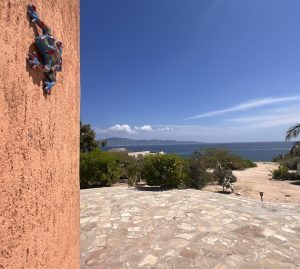
Incredible Ocean Views from this adorable home, just two lots back from the bluff overlooking the beach. Two homes on one property CASA ALAMO is...

This is a turn key property completely furnished.
Selected Rentals…
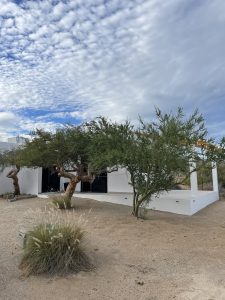
Cozy 1-bedroom studio with a king-size bed, full kitchen, living room, A/C, and TV. Stay connected with Starlink Internet. Perfect for long-term stays and pet...

by Manon Levac
2 bedroom, 3 bathroom casita, by La Tuna beach. WIFI, A/C, laundry, fenced yard, walking distance (2 mins) from the beach and kite launch.
by Tim Hatler
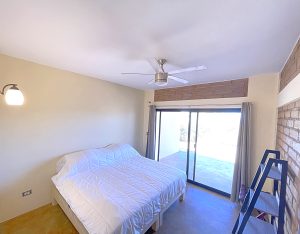
Close in, with competitive rent at $2000 USD/month! Nestled in the heart of La Ventana, Casa Gallo is a stunning, newly built two-bedroom, two-bathroom retreat...
How To Add Your Own Listing
Rental & Real Estate listings are now a do-it-yourself service. You create your own listing with a title, description and photos (if you like). You can edit it or remove your listing at any time. It will expire in three months if you do not renew it. Here’s how to get started…
- Register & Login – Go to Listing Register. Make sure to use a real email or your listings cannot be approved.
- Submit your Listing – Go to the Add New Listing page and enter all of the information
- Wait for Review – The Ventana View will be notified when your listing is submitted. It will typically be approved in less than 24 hours.
Questions?
- How do I manage my current listing(s)? Go to Manage Listings. If you are not already logged in, you will be asked to log in.
- I forgot my password. What now? Go to Listings Login and click the “Forgot your password?” link.
- Help! This isn’t as easy as you make it out to be! If you get stuck, or just “technology challenged”, send us a message and we can help you out.